DITO HOME 4G Prepaid Starter Kit
Data Inclusion: 70GB (Open Access Data)
Validity: 30 Days
Inclusions:
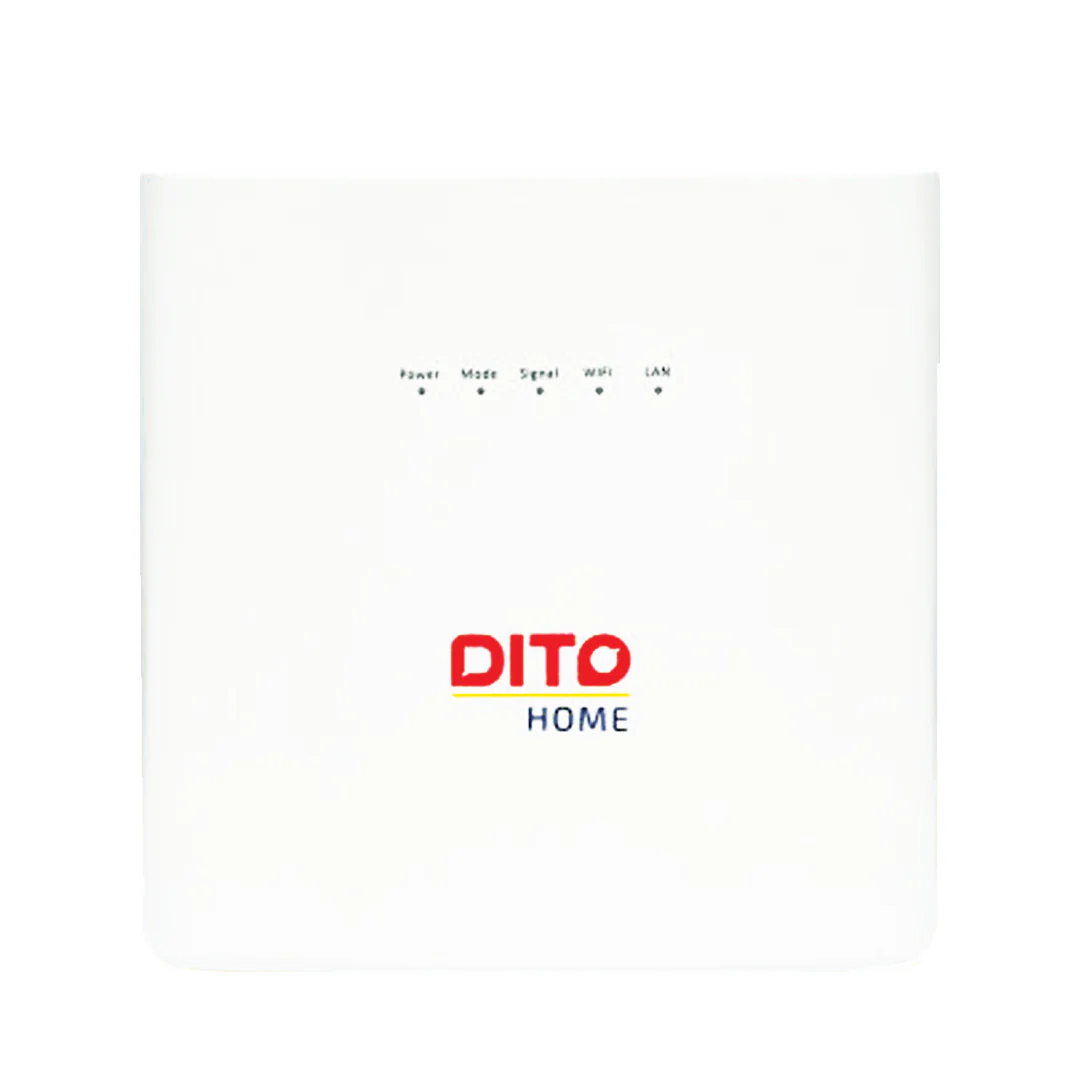
One (1) 4G Modem)
One (1) 4G SIM Card
Broadband Speed: Up to 50 Mbps
ACTIVATE YOUR SIM & MODEM:
STEP 1: Insert DITO Home SIM into your phone.
STEP 2: Download the DITO App & click SIM Registration. Take note of your DITO Home SIM Number for loading.
STEP 3: Wait for SIM activation confirmation via SMS. / Check if SIM is verified. Go through SIM Card Registration Process.
STEP 4: Sign-in to the DITO App using your DITO Home SIM number, use the password sent via SMS.
STEP 5: MUST update your profile AND add ""THE OTHER CONTACT NUMBER (important )"" synchronously.
STEP 6: Insert registered DITO Home SIM into the modem.
STEP 7: Plug the modem & connect to your DITO Home WiFi.
STEP 8: Get the SSID and password at the bottom of the DITO Home's network.
To activate your DITO Home SIM card when your phone can't detect it, follow these steps:
1. Insert the DITO SIM into your newly-bought DITO Home WiFi device.
2. Connect your phone to the DITO Home WiFi network.
3. Open the DITO App to register your DITO SIM.
4. The SIM number should be displayed automatically in the app.
Once you've completed these steps, your DITO SIM should be activated and ready to use!
LOAD PROMOS
STEP 1: Log in to DITO APP using your DITO Home SIM Number.
STEP 2: Select ""Buy Promo"" in Homepage and purchase your promo.
If you forgot your password and you have saved your customer profile in the system:
STEP 1: Enter your DITO Home SIM Number
STEP 2: Click Forgot Password
STEP 3: Click Get SMS Code, SMS will be sent to your ""OTHER CONTACT NUMBER""
STEP 4: Input the 6-digit SMS Code sent to your ""OTHER CONTACT NUMBER""
STEP 5: Input New Password
STEP 6: Confirm New Password and Click Submit
STEP 7: Enter your New Password
If you didn't update your profile:
STEP 1: Log in DITO app via your DITO Home SIM number and initial password (This info already sent SMS to you).
STEP 2: select ""buy promo"" in Homepage and purchase your promo.
If you didn't update your profile and can not find the initial password from previous SMS:
CALL 185 OR go to our DITO EXPERIENCE STORE to help you to update your profile first.
For any concerns and/or inquiries regarding the DITO Starter Kit, queries may be sent to customerservice@dito.ph.
Notice: Modem may vary from featured unit.
1 Year Official Warranty
Original: $899.00
-65%$899.00
$314.65Product Information
Product Information
Shipping & Returns
Shipping & Returns
Description
Data Inclusion: 70GB (Open Access Data)
Validity: 30 Days
Inclusions:
One (1) 4G Modem)
One (1) 4G SIM Card
Broadband Speed: Up to 50 Mbps
ACTIVATE YOUR SIM & MODEM:
STEP 1: Insert DITO Home SIM into your phone.
STEP 2: Download the DITO App & click SIM Registration. Take note of your DITO Home SIM Number for loading.
STEP 3: Wait for SIM activation confirmation via SMS. / Check if SIM is verified. Go through SIM Card Registration Process.
STEP 4: Sign-in to the DITO App using your DITO Home SIM number, use the password sent via SMS.
STEP 5: MUST update your profile AND add ""THE OTHER CONTACT NUMBER (important )"" synchronously.
STEP 6: Insert registered DITO Home SIM into the modem.
STEP 7: Plug the modem & connect to your DITO Home WiFi.
STEP 8: Get the SSID and password at the bottom of the DITO Home's network.
To activate your DITO Home SIM card when your phone can't detect it, follow these steps:
1. Insert the DITO SIM into your newly-bought DITO Home WiFi device.
2. Connect your phone to the DITO Home WiFi network.
3. Open the DITO App to register your DITO SIM.
4. The SIM number should be displayed automatically in the app.
Once you've completed these steps, your DITO SIM should be activated and ready to use!
LOAD PROMOS
STEP 1: Log in to DITO APP using your DITO Home SIM Number.
STEP 2: Select ""Buy Promo"" in Homepage and purchase your promo.
If you forgot your password and you have saved your customer profile in the system:
STEP 1: Enter your DITO Home SIM Number
STEP 2: Click Forgot Password
STEP 3: Click Get SMS Code, SMS will be sent to your ""OTHER CONTACT NUMBER""
STEP 4: Input the 6-digit SMS Code sent to your ""OTHER CONTACT NUMBER""
STEP 5: Input New Password
STEP 6: Confirm New Password and Click Submit
STEP 7: Enter your New Password
If you didn't update your profile:
STEP 1: Log in DITO app via your DITO Home SIM number and initial password (This info already sent SMS to you).
STEP 2: select ""buy promo"" in Homepage and purchase your promo.
If you didn't update your profile and can not find the initial password from previous SMS:
CALL 185 OR go to our DITO EXPERIENCE STORE to help you to update your profile first.
For any concerns and/or inquiries regarding the DITO Starter Kit, queries may be sent to customerservice@dito.ph.
Notice: Modem may vary from featured unit.
1 Year Official Warranty